

-


移动开发
站-
热门城市 全国站>
-
其他省市
-
-

 400-808-3611
 白羽
2018-06-26
来源 :网络
阅读 2567
评论 0
白羽
2018-06-26
来源 :网络
阅读 2567
评论 0
摘要:本文将带你了解微信小程序开发之分页加载实例,希望本文对大家学微信有所帮助。
加载更多(分页加载)
当用户打开一个页面时,假设后台数据量庞大时,一次性地返回所有数据给客户端,页面的打开速度就会有所下降,而且用户只看上面的内容而不需要看后面的内容时,也浪费用户流量,基于优化的角度来考虑,后台不要一次性返回所有数据,当用户有需要再往下翻的时候,再加载更加数据出来。
业务需求:
列表滚动到底部时,继续往上拉,加载更多内容
必备参数:
(1)pageindex: 1 //第几次加载
(2)callbackcount: 15 //需要返回数据的个数
其他参数:
根据接口的所需参数
实现原理:
当第一次访问接口时,传递2个必备参数(第1次加载,需要返回数据的个数为15个),和其他参数(需要搜索的字符串)给后台,后台返回第一次数据过来。在请求成功的的回调函数中,判断返回的数据是否>0,是,则取出数据,渲染视图层,并把“上拉加载”显示在列表底部;否,则没有数据可取,并把“没有更多”显示在列表底部,同时把“上拉加载”隐藏掉。
当用户已经滚动到列表底部(这里使用到小程序提供的scroll-view组件的bindscrolltolower事件),触发bindscrolltolower事件,参数pageindex+1,再把2个必备参数(第2次加载,需要返回数据的个数为15个)和其他参数(需要搜索的字符串)给后台,后台把其余的数据返回给前台,前台在原来数据的基础上添加数据。


示例:
wxml:
[html] view plain copy print?
1. <view class="search">
2.   <view class="search-bar">
3.     <view class="search-wrap">
4.         <icon type="search" size="16" class="icon-search" />
5.         <input type="text" placeholder="请输入搜索内容" class="search-input" name="searchKeyword" bindinput="bindKeywordInput" value="{{searchKeyword}}" />
6.     </view>
7.     <view class="search-cancel" bindtap="keywordSearch">搜索</view>
8.   </view>
9.   <view class="search-result">
10.     <scroll-view scroll-y="true" bindscrolltolower="searchScrollLower">
11.       <view class="result-item" wx:for="{{searchSongList}}" wx:key="unique"  data-data="{{item}}" >
12.         <view class="icon{{item.isonly=='0' ? ' nocopyright' : ''}}"></view>
13.         <text class="title">{{item.songname}}</text>
14.         <view class="subtitle">
15.           <text wx:for="{{item.singer}}" wx:key="unique">{{item.name}}</text>
16.         </view>
17.       </view>
18.       <view class="loading" hidden="{{!searchLoading}}">正在载入更多...</view>
19.       <view class="loading complete" hidden="{{!searchLoadingComplete}}">已加载全部</view>
20.     </scroll-view>
21.   </view>
22. </view>

js:
[javascript] view plain copy print?
1. var util = require('../../utils/util.js')
2. Page({
3.   data: {
4.     searchKeyword: '',  //需要搜索的字符
5.     searchSongList: [], //放置返回数据的数组
6.     isFromSearch: true,   // 用于判断searchSongList数组是不是空数组,默认true,空的数组
7.     searchPageNum: 1,   // 设置加载的第几次,默认是第一次
8.     callbackcount: 15,      //返回数据的个数
9.     searchLoading: false, //"上拉加载"的变量,默认false,隐藏
10.     searchLoadingComplete: false  //“没有数据”的变量,默认false,隐藏
11.   },
12.   //输入框事件,每输入一个字符,就会触发一次
13.   bindKeywordInput: function(e){
14.     console.log("输入框事件")
15.     this.setData({
16.       searchKeyword: e.detail.value
17.     })
18.   },
19.   //搜索,访问网络
20.   fetchSearchList: function(){
21.     let that = this;
22.     let searchKeyword = that.data.searchKeyword,//输入框字符串作为参数
23.         searchPageNum = that.data.searchPageNum,//把第几次加载次数作为参数
24.         callbackcount =that.data.callbackcount; //返回数据的个数
25.     //访问网络
26.     util.getSearchMusic(searchKeyword, searchPageNum,callbackcount, function(data){
27.       console.log(data)
28.       //判断是否有数据,有则取数据
29.       if(data.data.song.curnum != 0){
30.         let searchList = [];
31.         //如果isFromSearch是true从data中取出数据,否则先从原来的数据继续添加
32.         that.data.isFromSearch ? searchList=data.data.song.list : searchList=that.data.searchSongList.concat(data.data.song.list)
33.         that.setData({
34.           searchSongList: searchList, //获取数据数组
35.           zhida: data.data.zhida, //存放歌手属性的对象
36.           searchLoading: true   //把"上拉加载"的变量设为false,显示
37.         });
38.       //没有数据了,把“没有数据”显示,把“上拉加载”隐藏
39.       }else{
40.         that.setData({
41.           searchLoadingComplete: true, //把“没有数据”设为true,显示
42.           searchLoading: false  //把"上拉加载"的变量设为false,隐藏
43.         });
44.       }
45.     })
46.   },
47.   //点击搜索按钮,触发事件
48.   keywordSearch: function(e){
49.     this.setData({
50.       searchPageNum: 1,   //第一次加载,设置1
51.       searchSongList:[],  //放置返回数据的数组,设为空
52.       isFromSearch: true,  //第一次加载,设置true
53.       searchLoading: true,  //把"上拉加载"的变量设为true,显示
54.       searchLoadingComplete:false //把“没有数据”设为false,隐藏
55.     })
56.     this.fetchSearchList();
57.   },
58.   //滚动到底部触发事件
59.   searchScrollLower: function(){
60.     let that = this;
61.     if(that.data.searchLoading && !that.data.searchLoadingComplete){
62.       that.setData({
63.         searchPageNum: that.data.searchPageNum+1,  //每次触发上拉事件,把searchPageNum+1
64.         isFromSearch: false  //触发到上拉事件,把isFromSearch设为为false
65.       });
66.       that.fetchSearchList();
67.     }
68.   }
69. })

util.js:
[javascript] view plain copy print?
1. function getSearchMusic(keyword, pageindex, callbackcount, callback){
2.   wx.request({
3.     url: 'https://c.y.qq.com/soso/fcgi-bin/search_for_qq_cp',
4.     data: {
5.       g_tk: 5381,
6.       uin: 0,
7.       format: 'json',
8.       inCharset: 'utf-8',
9.       outCharset: 'utf-8',
10.       notice: 0,
11.       platform: 'h5',
12.       needNewCode: 1,
13.       w: keyword,
14.       zhidaqu: 1,
15.       catZhida: 1,
16.       t: 0,
17.       flag: 1,
18.       ie: 'utf-8',
19.       sem: 1,
20.       aggr: 0,
21.       perpage: 20,
22.       n: callbackcount,  //返回数据的个数
23.       p: pageindex,
24.       remoteplace: 'txt.mqq.all',
25.       _: Date.now()
26.     },
27.     method: 'GET',
28.     header: {'content-Type': 'application/json'},
29.     success: function(res){
30.       if(res.statusCode == 200){
31.         callback(res.data);
32.       }
33.     }
34.   })
35. }
36.
37. module.exports = {
38.   getSearchMusic: getSearchMusic
39. }

wxss:
[css] view plain copy print?
1. page{
2.   display: flex;
3.   flex-direction: column;
4.   height: 100%;
5. }
6.
7. /*搜索*/
8. .search{
9.   flex: auto;
10.   display: flex;
11.   flex-direction: column;
12.   background: #fff;
13. }
14. .search-bar{
15.   flex: none;
16.   display: flex;
17.   align-items: center;
18.   justify-content: space-between;
19.   padding: 20rpx;
20.   background: #f4f4f4;
21. }
22. .search-wrap{
23.   position: relative;
24.   flex: auto;
25.   display: flex;
26.   align-items: center;
27.   height: 80rpx;
28.   padding: 0 20rpx;
29.   background: #fff;
30.   border-radius: 6rpx;
31. }
32. .search-wrap .icon-search{
33.   margin-right: 10rpx;
34. }
35. .search-wrap .search-input{
36.   flex: auto;
37.   font-size: 28rpx;
38. }
39. .search-cancel{
40.   padding: 0 20rpx;
41.   font-size: 28rpx;
42. }
43.
44. /*搜索结果*/
45. .search-result{
46.   flex: auto;
47.   position: relative;
48. }
49. .search-result scroll-view{
50.   position: absolute;
51.   bottom: 0;
52.   left: 0;
53.   right: 0;
54.   top: 0;
55. }
56. .result-item{
57.   position: relative;
58.   display: flex;
59.   flex-direction: column;
60.   padding: 20rpx 0 20rpx 110rpx;
61.   overflow: hidden;
62.   border-bottom: 2rpx solid #e5e5e5;
63. }
64.
65. .result-item .media{
66.   position: absolute;
67.   left: 16rpx;
68.   top: 16rpx;
69.   width: 80rpx;
70.   height: 80rpx;
71.   border-radius: 999rpx;
72. }
73. .result-item .title,
74. .result-item .subtitle{
75.   overflow: hidden;
76.   text-overflow: ellipsis;
77.   white-space: nowrap;
78.   line-height: 36rpx;
79. }
80. .result-item .title{
81.   margin-bottom: 4rpx;
82.   color: #000;
83. }
84. .result-item .subtitle{
85.   color: #808080;
86.   font-size: 24rpx;
87. }
88. .result-item:first-child .subtitle text{
89.   margin-right: 20rpx;
90. }
91. .result-item:not(:first-child) .subtitle text:not(:first-child):before{
92.   content: '/';
93.   margin: 0 8rpx;
94. }
95. .loading{
96.   padding: 10rpx;
97.   text-align: center;
98. }
99. .loading:before{
100.   display: inline-block;
101.   margin-right: 5rpx;
102.   vertical-align: middle;
103.   content: '';
104.   width: 40rpx;
105.   height: 40rpx;
106.   background: url(../../images/icon-loading.png) no-repeat;
107.   background-size: contain;
108.   animation: rotate 1s linear infinite;
109. }
110. .loading.complete:before{
111.   display: none;
112. }
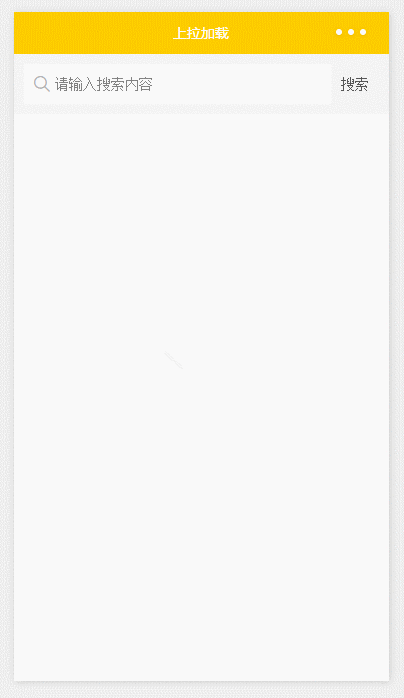
运行:
本文由职坐标整理并发布,希望对同学们有所帮助。了解更多详情请关注职坐标移动开发之微信频道!
 喜欢 | 0
 不喜欢 | 0


您输入的评论内容中包含违禁敏感词
我知道了

请输入正确的手机号码
请输入正确的验证码
您今天的短信下发次数太多了,明天再试试吧!
我们会在第一时间安排职业规划师联系您!
您也可以联系我们的职业规划师咨询:

版权所有 职坐标-一站式AI+学习就业服务平台 沪ICP备13042190号-4
上海海同信息科技有限公司 Copyright ©2015 www.zhizuobiao.com,All Rights Reserved.
 沪公网安备 31011502005948号







 资料领取
资料领取

 答疑解惑
答疑解惑

 技术交流
技术交流

 职业测评
职业测评

 面试技巧
面试技巧

 高薪秘笈
高薪秘笈




